Prompt the Loop When Using Coding Agents
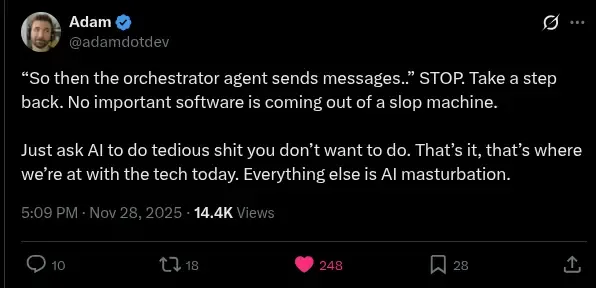
You can safely ignore advice about coding agents that doesn’t mention loop structure.
“Agent” is an overloaded term, so I want to clarify that I’m using simonw’s definition of “a language model which runs tools in a loop to achieve a goal” when I say “agent” throughout this post.
If that doesn’t make sense to you then read fly.io’s guide on writing agents or ampcode’s guide and try building your own micro-agent first before continuing. I promise it’s a worthwhile exercise.
What is This Loop You Speak Of?
Consider this example prompt asking claude code to write a generateSlug function.
add a new function to the @index.ts file called `generateSlug` which accepts a blog post title and returns a URL-friendly slugSounds clear and like it should work right? WRONG! Watch the output below.
We’re missing unicode characters, special characters, multiple spaces, edge cases. Curse javascript all you want, but this is our fault, not Claude’s.
Our prompt doesn’t give the agent anything to test against. You want something more like
look at @index.ts and start by making sure you have a way to unit test functions which get added to that file. Add jest and new ts files if you need to, add a new script to @package.json. Then scaffold a new generateSlug function in @index.ts, write robust tests for it covering unicode, special chars, multiple spaces, edge cases, run them, watch them fail, implement the slug generator until they all pass. Unit tests should be in the same index.ts file as the function implementation.Watch this baby run!
It’s all the agent loop!
The key difference is this phrase from the second prompt:
“run them, watch them fail, implement the slug generator until they all pass”
This gives the agent a loop condition, a test to run repeatedly while iterating. Without it, the agent takes one shot and stops. With it, the agent keeps working until satisfied.
Common Loop Condition Patterns
The pattern is always the same. Describe the work, specify validation, then tell the agent to iterate until the validation passes. Here are three templates you can adapt.
For new features
[describe feature], write tests for [key behaviors], run them, fix until they all passFor bug fixes
reproduce the bug in [file/test], fix the issue, verify the bug no longer occurs and all tests passFor build/compile issues
[make changes], run the build, fix any errors or type issues until it compiles successfullyAll of the above patterns include some kind of check; either tasts pass or fail, builds succeed or error, bugs reproduce or don’t. Agents can take these abstract descriptions and turn them into concrete tools which they can run over and over until the condition is met.
Prompting outside of this pattern is the equivalent of grabbing a jr dev 3 shots past Ballmer’s peak and asking them to fix a bug.
Conclusion
Senior developers know what loop conditions work for different tasks. If you’re junior and not sure what’s appropriate for a given task, use the planning mode offered by claude code, cursor, or your coding agent of choice to help you craft them.
Good luck out there!